A preview cannot reproduce your day.
Standing, walking, running, shoe volume, socks, and print material all shape what you notice. The useful test happens after the STL becomes a physical insole.
Ergono3D keeps the whole loop connected: generate a custom insole, wear-test it, describe what you notice, see the parameters, and create the next version — without rebuilding from scratch.
A model can look right on screen and still need refinement in a shoe, under body weight, and in motion. That is not a failed design. It is new information for the next version.
Standing, walking, running, shoe volume, socks, and print material all shape what you notice. The useful test happens after the STL becomes a physical insole.
Measurements create a credible baseline. Your feedback adds the missing layer: where support feels helpful, shallow, sharp, soft, or simply wrong for the task.
Arch height, heel cup, flanges, posting, skives, and thickness are explicit values. Adjust one decision, review the result, and know what the next print represents.
Comfort research evaluates orthoses while people walk or run, because geometry alone does not determine perception. Customisation also does not automatically guarantee the most comfortable result.
Ergono3D turns a one-way file download into a repeatable learning loop. Your physical test and your digital design stay connected.
Answer guided questions, review the suggested geometry, and export a print-ready STL. No CAD or scanner required.
INPUT · profile + parametersPrint in flexible TPU yourself or send the STL to a service. Test the insole in the shoe and activity it was designed for.
TEST · body + shoe + movementWrite a plain-language observation or enter exact values. Ergono3D keeps your judgement in the loop.
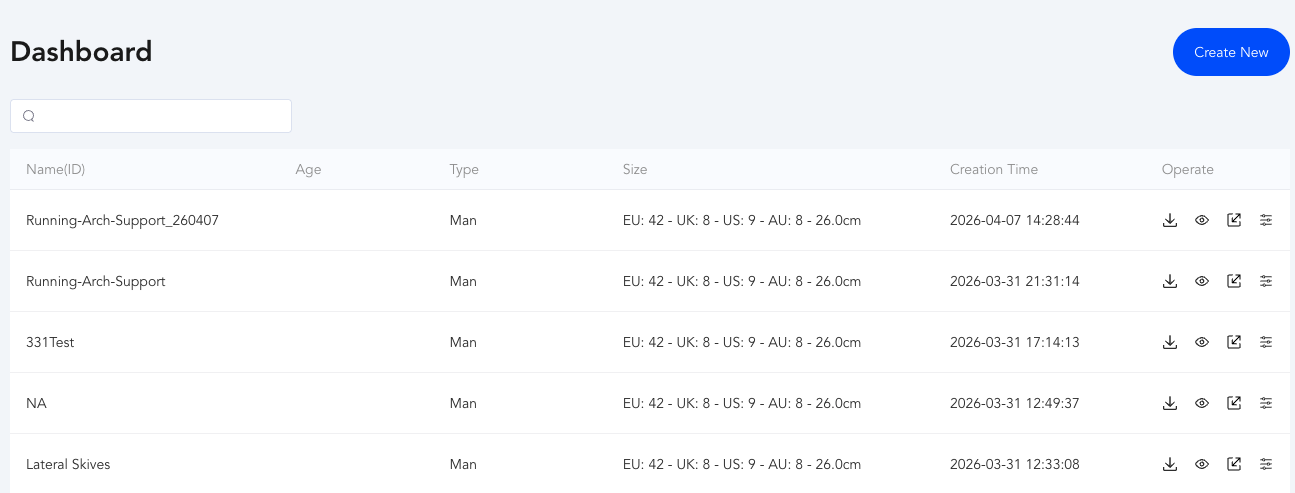
FEEDBACK · words or numbersInspect the parameter set and generate the revised model. Paid plans let you return to saved designs from the Dashboard.
OUTPUT · updated model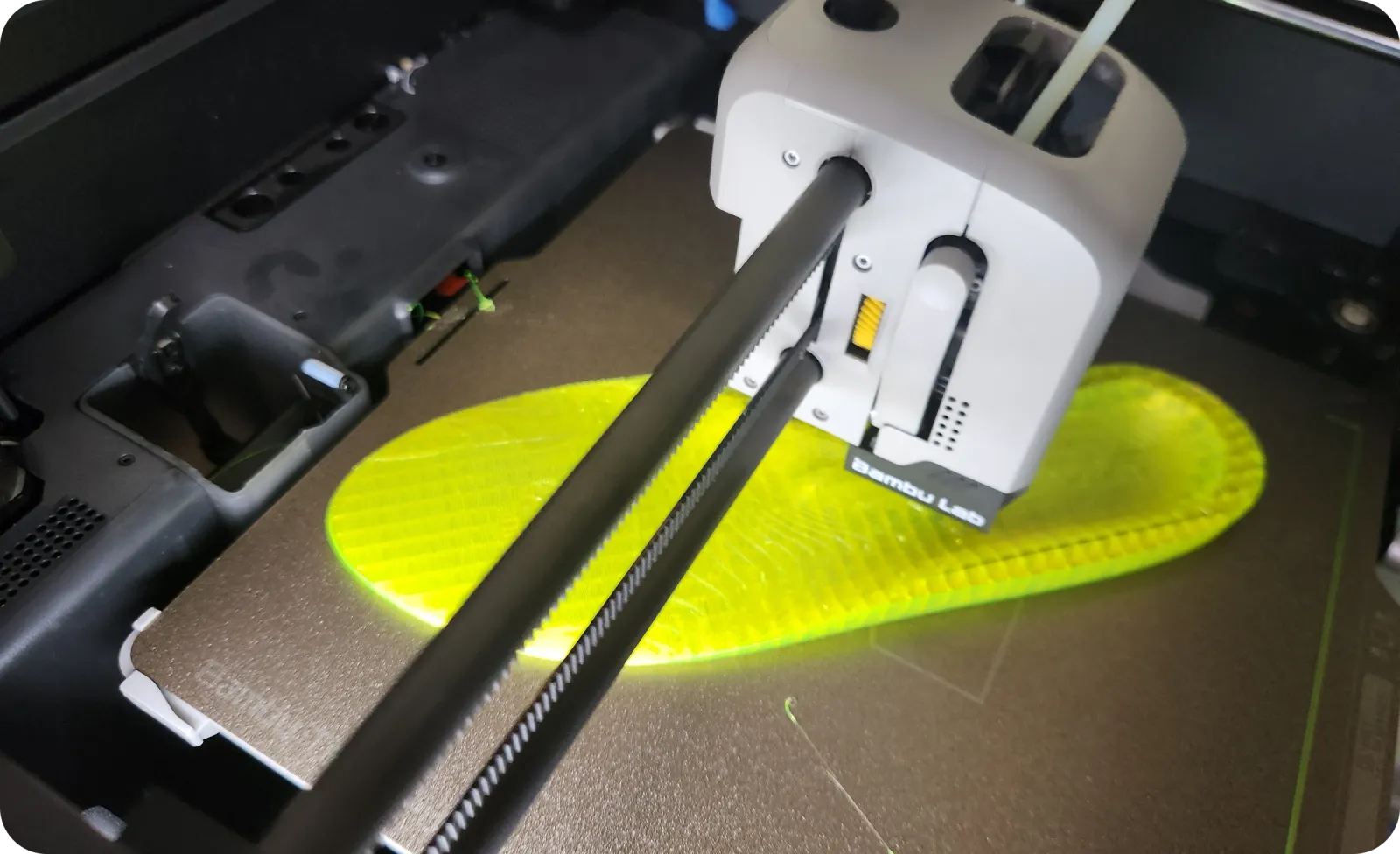
Print the model, put it in the intended shoe, and pay attention to what happens in use. The return trip — from physical experience back to visible parameters — is where iteration earns its value.
You do not have to translate discomfort into technical terminology. But if you already know the parameter you want, Ergono3D does not hide it from you.
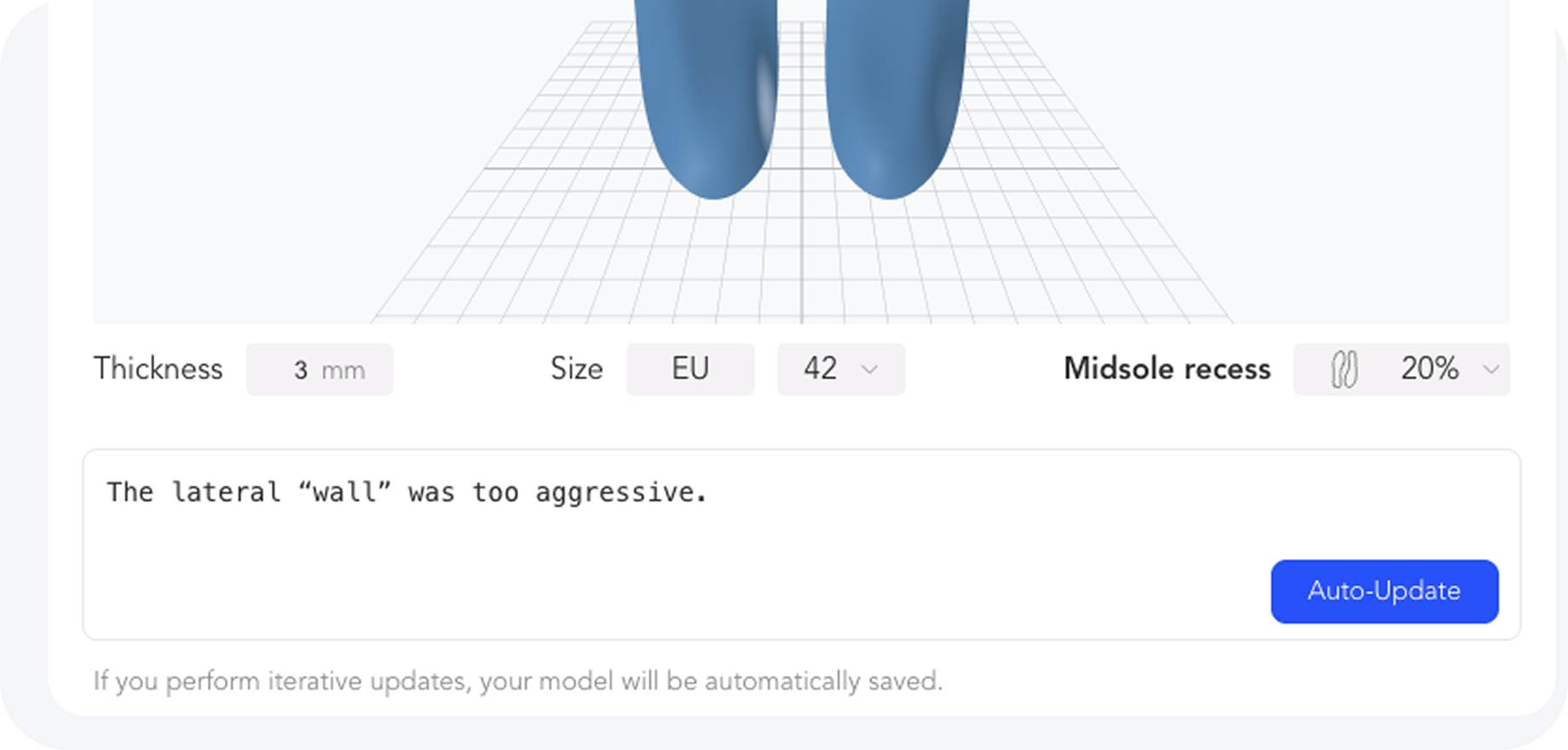
Describe the experience in your own words. Auto-Update uses that observation to propose the next parameter set for you to review.
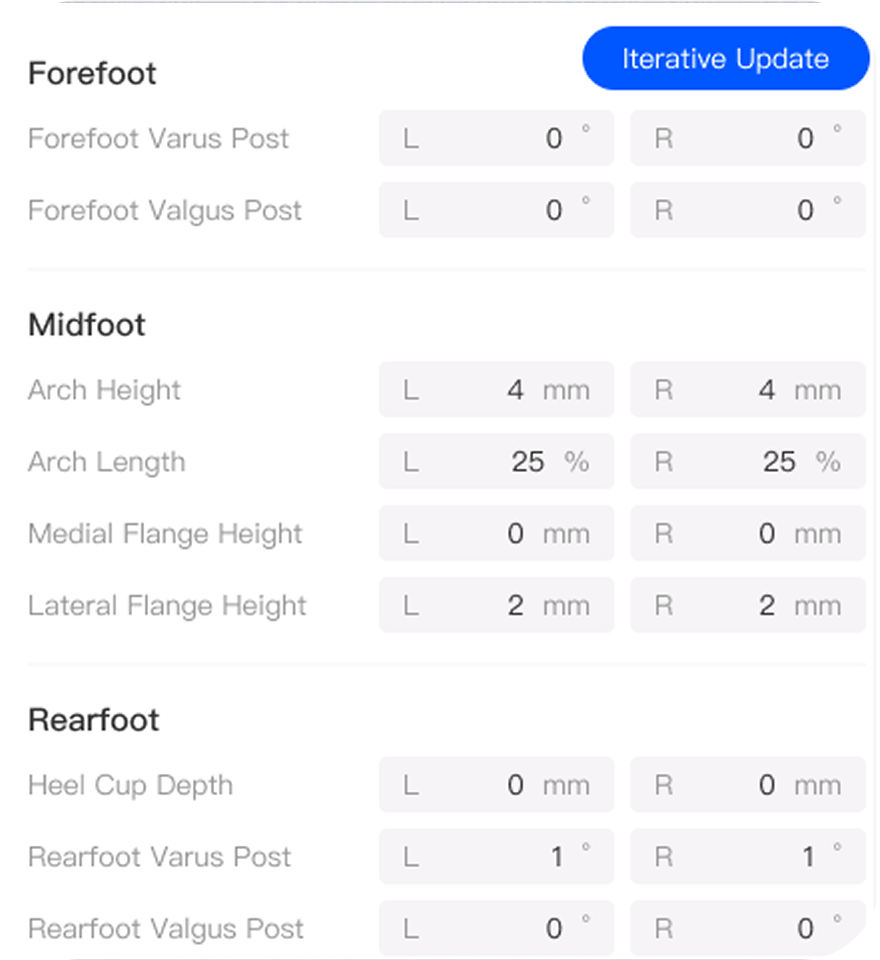
Inspect the complete parameter panel and tune the geometry directly. Left and right values remain visible before you generate again.
Your measurements, notes, and other Input Data remain yours. Ergono3D turns them into visible parameters and, when you choose to export, a manufacturing file you can take to your printer.
Measurements, notes, images, and other inputs stay yours under the Ergono3D Terms.
Forefoot, midfoot, rearfoot, padding, size, thickness, and left/right controls.
See the 5 included updates and decide when the next version is worth generating.
Design saving and Dashboard history let you re-open, adjust, and re-download a saved design. Free Preview does not include saving.
Ergono3D does not sell Personal Data or use identifiable Input Data to train public models. Aggregated or de-identified data may be used to improve the service.
The advantage is not just generating geometry faster. It is preserving a usable path from the first idea to the version that earns a place in your shoe.
Swipe horizontally to compare →
| When you learn something new | One-shot file workflow | Ergono3D iterative workflow |
|---|---|---|
| You notice something while wearing it | Write a note somewhere else and work out what it means later. | Enter the observation beside the design you are refining. |
| A parameter needs to change | Rebuild, re-brief, or edit an opaque mesh. | Review the visible values or change them directly. |
| You generate another model | Another file name with little context. | On paid plans, re-open the saved design and re-download its STL. |
| You are not certain yet | The first export is treated as the finish line. | Five updates are already included for real-world refinement. |
The vocabulary changes. The need to test, learn, and preserve the next decision does not.
Describe pressure, space, support, and comfort without learning CAD. Let the next version begin with what you actually noticed.
Keep geometry changes connected to real shoes, activities, flexible materials, and the print you tested.
Use direct orthotic controls, return to saved designs, and make the next adjustment without reopening a full CAD process.
The process is flexible, but the boundaries are clear.
Measurements and guided inputs create a useful starting design. Fit and comfort, however, can only be judged when the insole is printed, placed in a real shoe, and worn. Iteration turns that experience into the next design input.
Every new insole design includes 5 free parameter updates. Once those are used, 1 credit unlocks 5 additional updates for the same design.
No. Describe what you notice in plain language and use Auto-Update. If you already know the geometry you want, the full parameter panel remains available for direct control.
Design saving and the history dashboard are included with paid plans. The Free Preview Trial does not include design saving or the history dashboard.
No CAD or 3D scanner is required. Ergono3D guides the design and exports a print-ready STL. You can print it on a compatible TPU-capable FDM printer or send the file to a printing service.
No. Ergono3D is a design tool. It does not replace diagnosis, clinical judgement, or professional care. Seek a qualified clinician for persistent pain, injury, or medical concerns.
Build the baseline now. Keep five free updates ready for what your feet tell you next.