At Ergono3D, we don't see insole design as a one-time output. A design may print correctly, look structurally sound, and even perform well as a first version. But real comfort is only confirmed after use — when the insole is tested under actual body weight, movement patterns, and daily or sport-specific demands. That is why we are introducing a more practical and flexible refinement workflow.
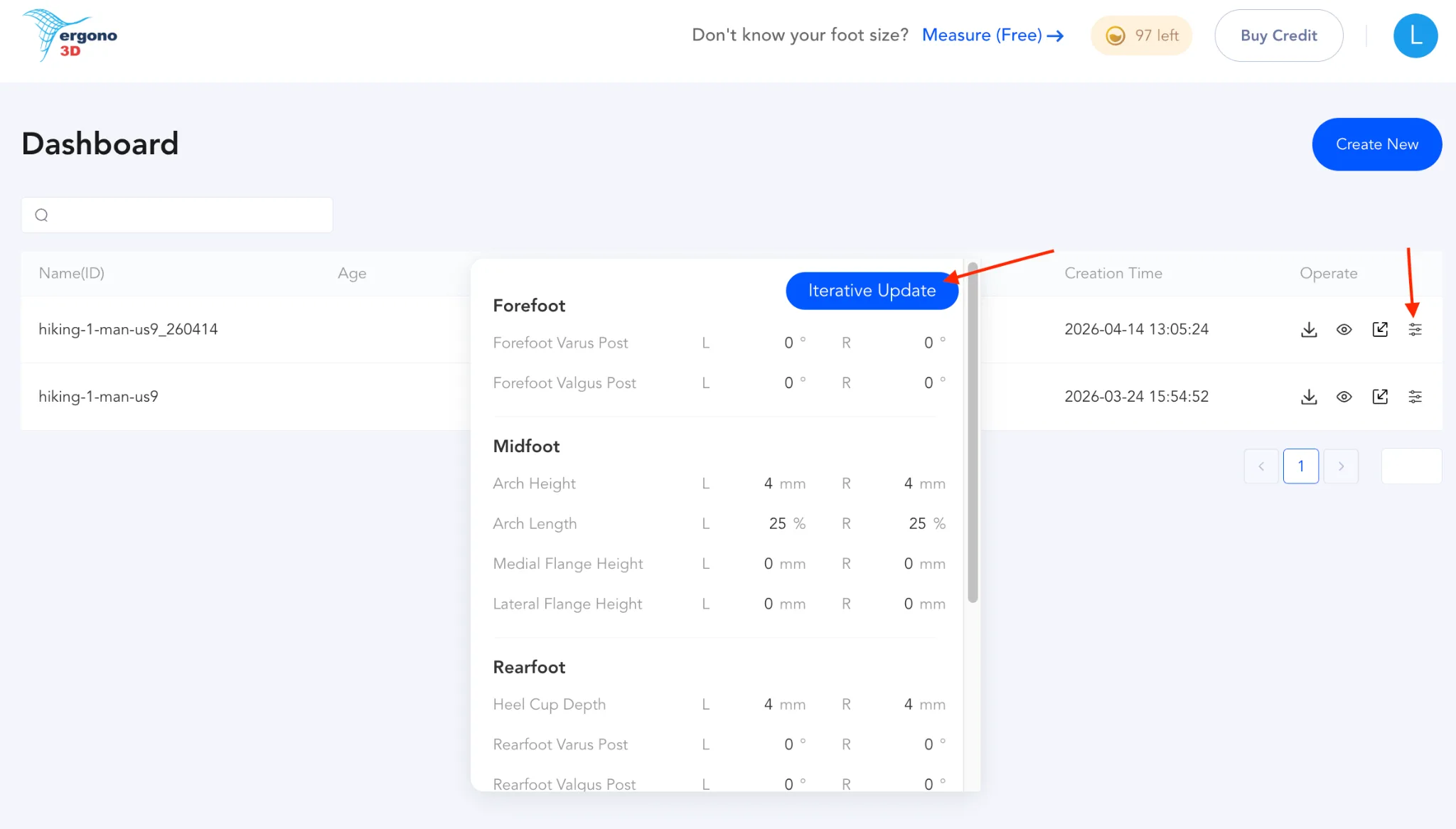
More importantly, this means you do not need to recreate your design from scratch every time something feels slightly off. You can now simply click Iterative Update to refine your insole.
Designed for refinement, not restarting.
Traditional digital files are static. Once delivered, they are treated as finished. But functional insoles do not work that way.
A small change in arch height, sidewall angle, heel cup depth, or support transition can significantly change how the insole feels in real use. In many cases, the first version is only the starting point. What matters is how efficiently the next version can be improved.
With Iterative Update, the workflow becomes much more natural:
- If you know what you're doing, you can manually adjust parameters
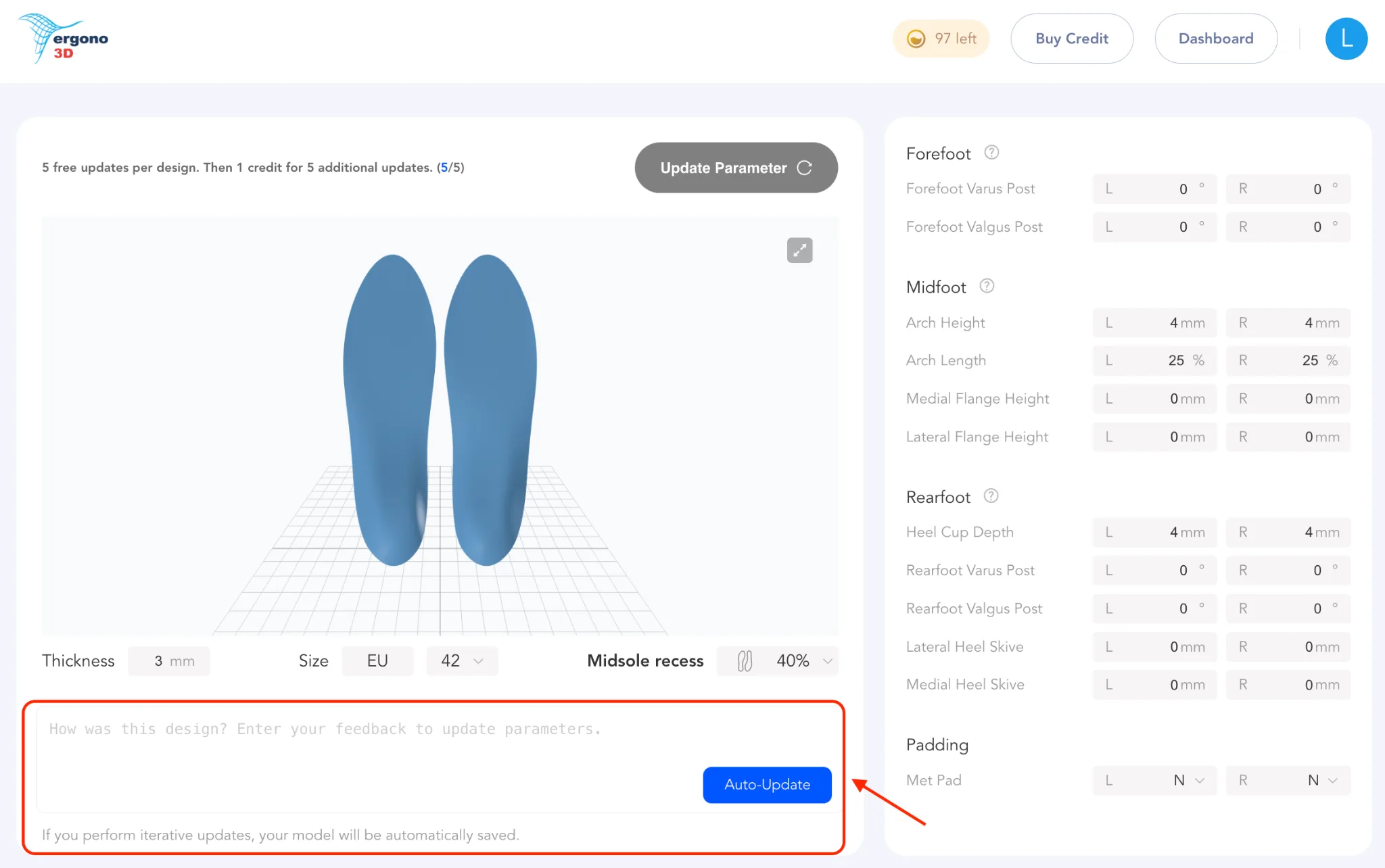
- Or you can simply describe how the insole feels, and we will help update it
This makes refinement faster, easier, and much closer to how functional products should actually be developed.
Describe how it feels — and we'll help update it.
Not every user wants to tune design parameters manually. In many cases, the user does not know which exact variable needs to change. They only know how the insole feels during use. That is enough.
With Iterative Update, you can simply describe the issue in plain language, and Ergono3D will help update the design accordingly. For example:
From that kind of feedback, the relevant parameters can be adjusted to improve comfort.
This is an important shift in the workflow. Instead of asking users to translate every discomfort into technical design language, the system can work from real-world feedback and use that feedback to guide the next version.
That makes the refinement process much more accessible, especially for users who care about fit and performance but do not want to think in CAD variables.
Manual adjustment is still available.
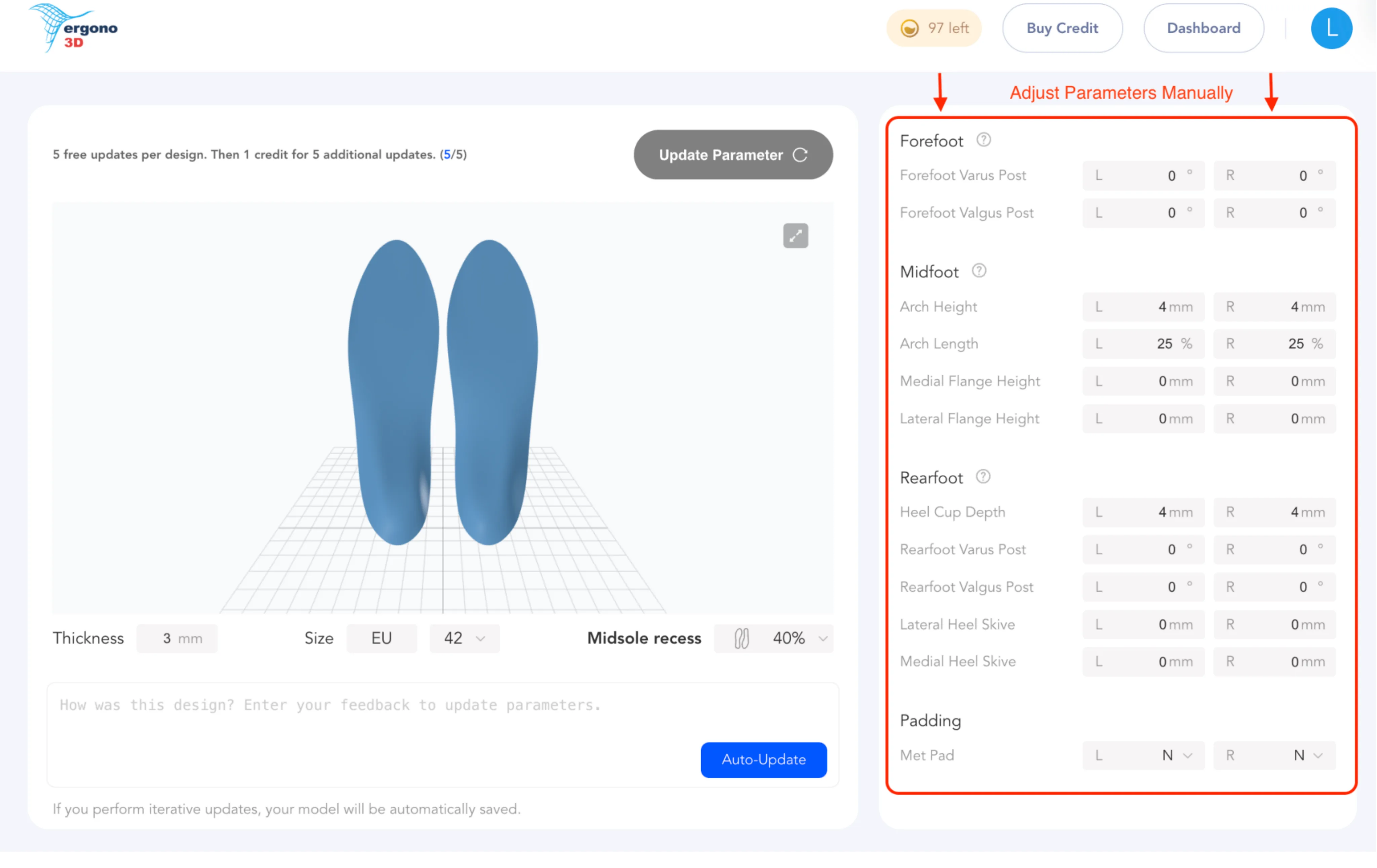
For users who want more direct control, manual parameter adjustment remains fully available.
If you know exactly what you want to refine, you can adjust the relevant design settings yourself — including variables such as:
- Arch height
- Support position
- Heel cup depth
- Lateral wall angle
- Forefoot geometry
- Thickness and transition balance
This means the workflow supports both types of users:
- Users who think in terms of feel, comfort, and feedback
- Users who think in terms of geometry, support zones, and parameters
That flexibility is a core part of the update.
What the 5 free updates mean.
Every new insole design now includes 5 free parameter updates — built in, no credit required.
These updates are meant for refining the same base design after testing and feedback. They allow users to make practical changes without opening a completely new workflow or rebuilding the model from zero.
After those 5 updates are used, 1 credit unlocks 5 additional updates. This structure gives users room to iterate while keeping the process predictable and efficient.
Why this matters.
The reality is simple: good insoles are rarely created in one step. What feels right in theory may feel too firm, too sharp, too soft, too shallow, or too aggressive once printed and worn. Even a technically correct model may need adjustment once it interacts with a real foot in motion.
That is not a flaw in the process. That is the process.
The purpose of Iterative Update is to make that process usable:
- No need to recreate the design from scratch
- No need to guess which adjustment matters most
- No need to stop after the first version
Instead, users can move from first print to better fit through structured iteration.
Built for real-world use.
This update is useful across the board — for makers refining TPU prints, for athletes testing performance in motion, and for clinics looking for a more efficient path from first design to better fit.
The goal is not just to generate a design, but to make refinement part of the product itself. Because better insoles don't come from static files — they come from iteration.
Design custom insoles tailored to your foot measurements. Free preview — 5 credits, no card required. Export the STL when you're ready to print.